Feature-packed, future-ready.
PMCenter covers every aspect of preventive maintenance management — from asset hierarchy and PM scheduling to spare parts tracking, breakdown analysis, and enterprise integration.
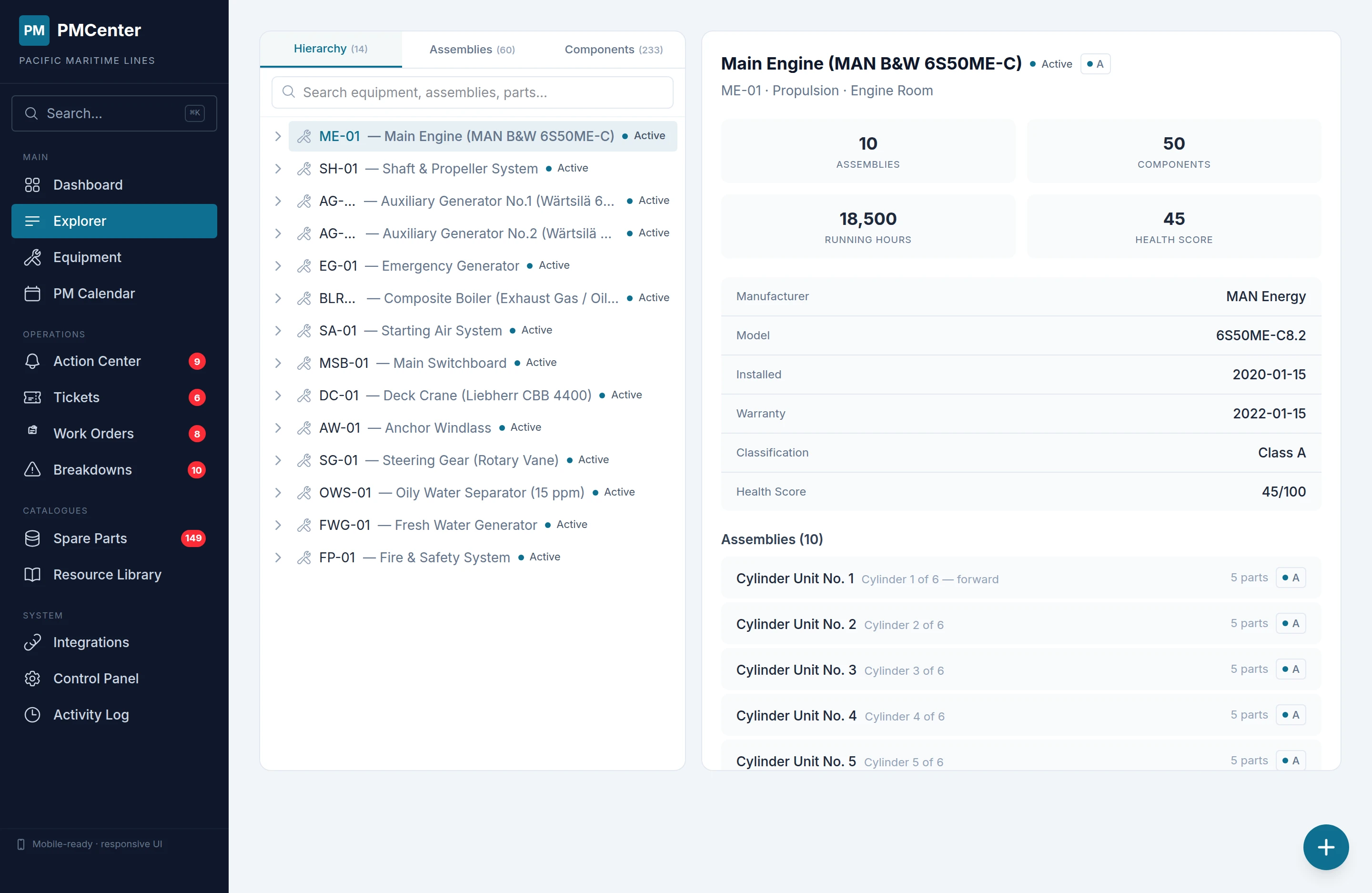
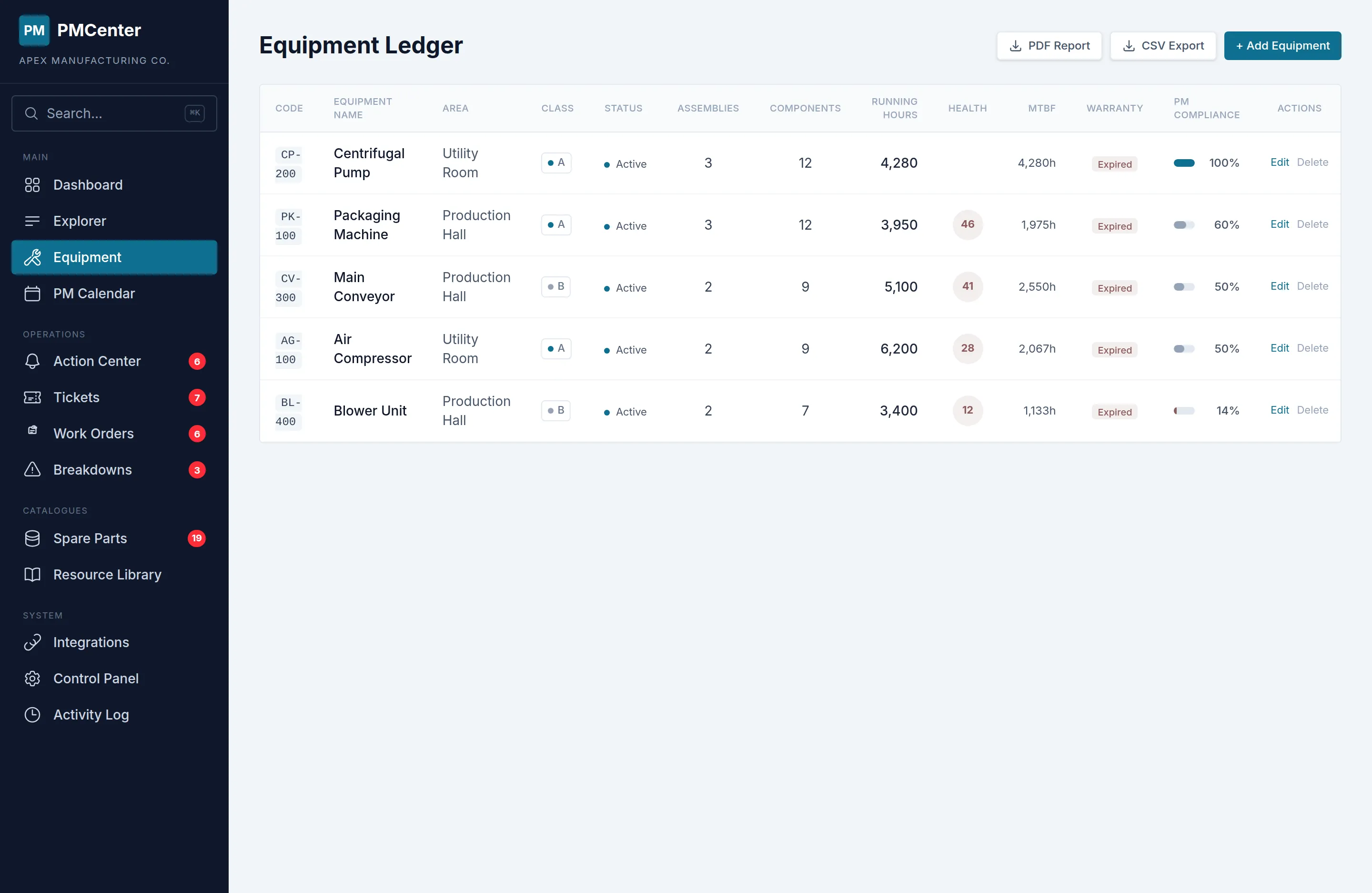
Your entire site, structured and searchable
Organize every asset, system, and component in a navigable hierarchy. Tag assets with QR codes for instant field lookup. Track running hours at every level to trigger maintenance based on actual usage.
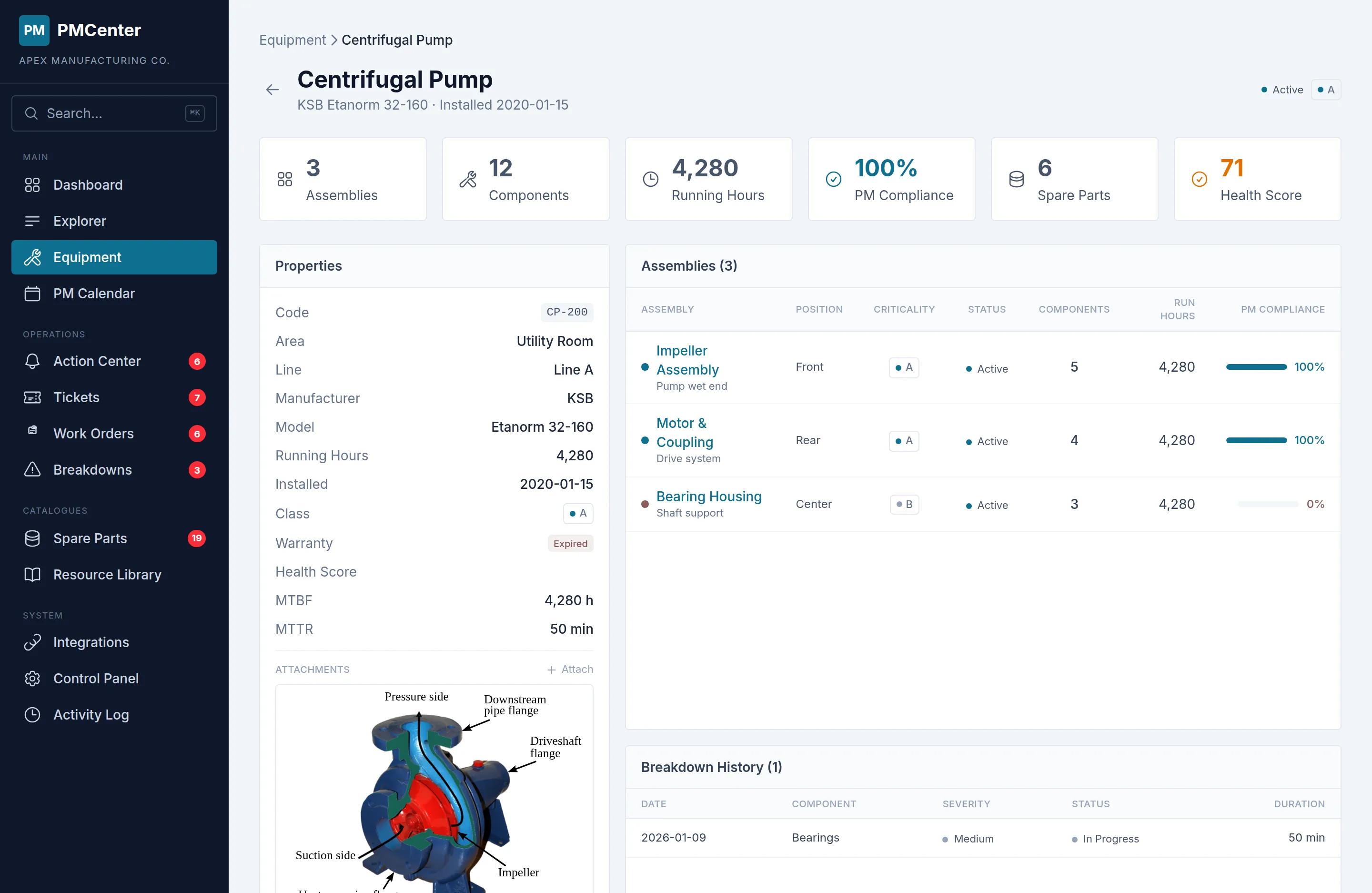
Asset Ledger
Three-level drill-down from asset to system to component.
- Custom fields and linked documents per asset
- Health scoring and warranty tracking
- Full maintenance history at every level
QR Code Scanning
Scan any asset tag to pull up its full record instantly.
- Auto-generated QR codes for every asset
- Field lookup from any mobile device
- Direct link to maintenance history and PM tasks
Running Hours
Track actual usage at every level for condition-based triggers.
- Threshold-based CBM trigger automation
- Usage tracking at asset, system, and component levels
- Automatic PM task generation on threshold breach
From schedule to completion, every task tracked
Auto-generated PM calendars combine time-based and condition-based schedules. Work orders flow from three sources — PM schedule, tickets, and breakdowns — each with linked work instructions so technicians know exactly what to do.
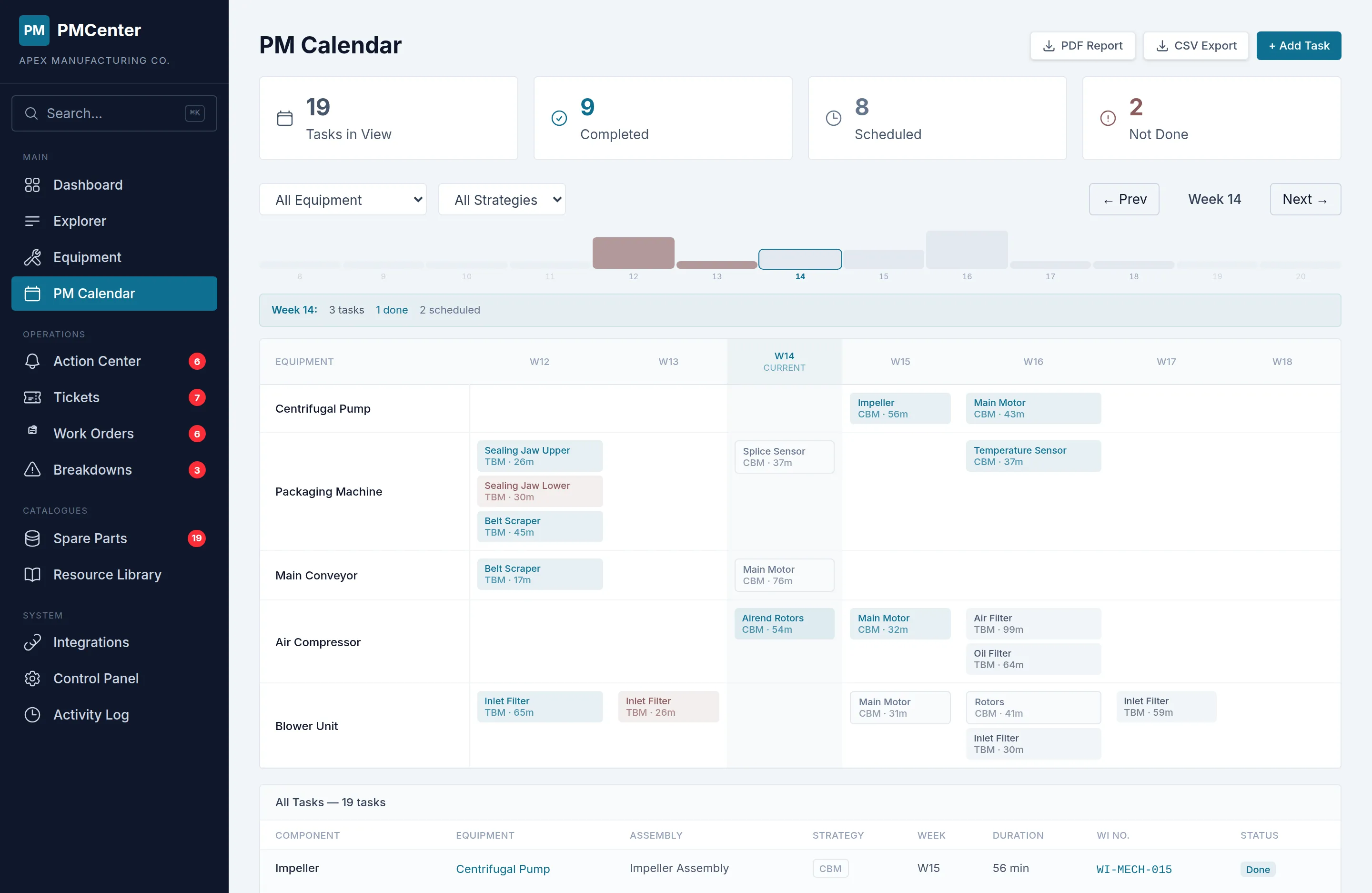
PM Calendar
TBM and CBM schedules unified in one weekly/monthly view.
- Auto-generated from PM rules
- Color-coded by status and priority
- Overdue tasks highlighted automatically
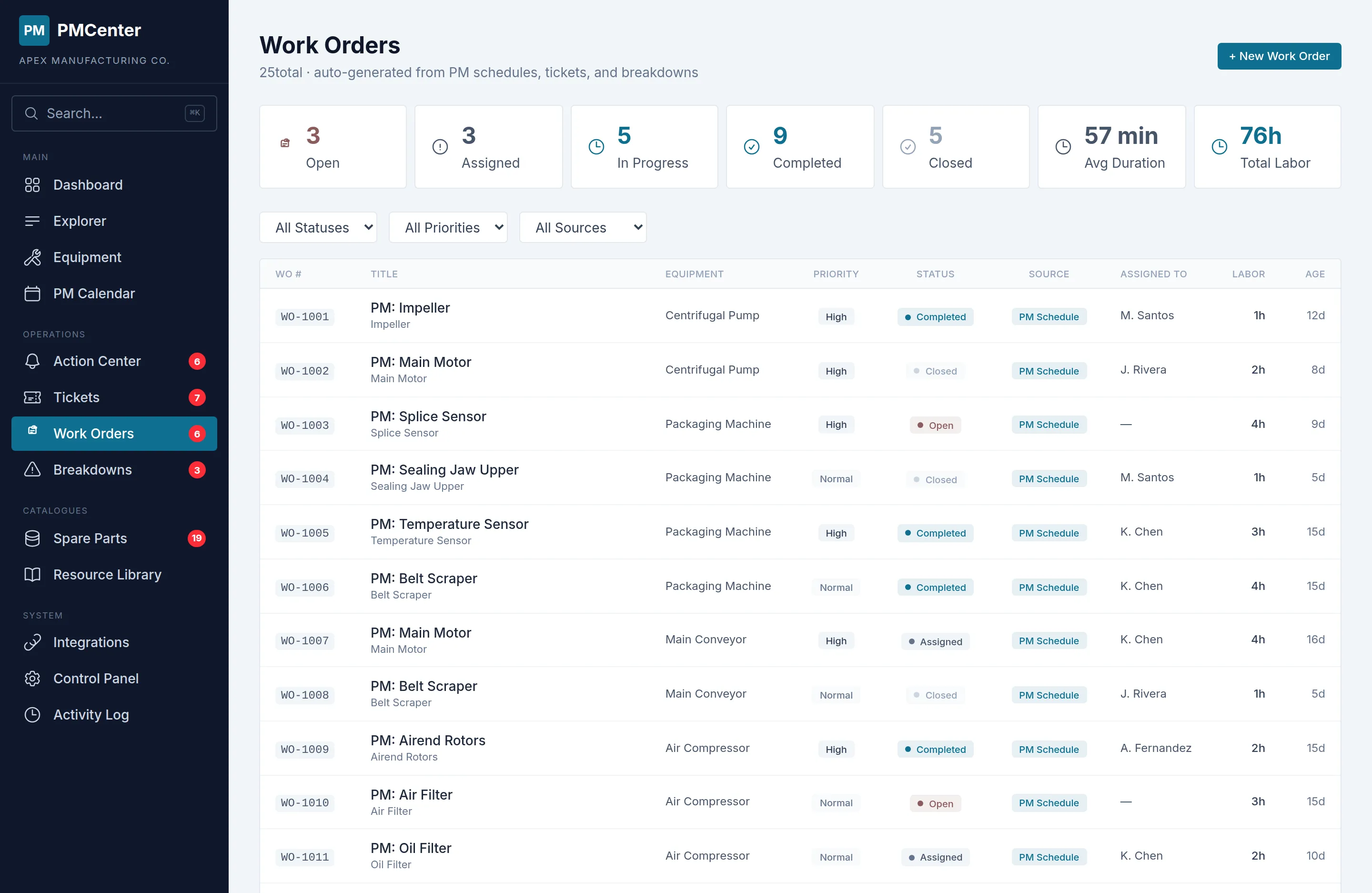
Work Orders
Every maintenance task tracked from open to closed.
- Auto-created from PM schedules, tickets, and breakdowns
- Source badge shows origin at a glance
- Status workflow: Open to Assigned to Completed to Closed
Work Instructions Library
53 standard procedures across 5 maintenance disciplines.
- MECH / ELEC / INSTR / HYD / PNEU disciplines
- Keyword-matched to PM tasks automatically
- Expandable inline with step-by-step detail
Every alert, ticket, and incident in one place
The Action Center consolidates overdue PM tasks, low stock warnings, breakdown alerts, and incoming tickets into a single prioritized feed. Operators submit requests from any device. Breakdowns are logged with 5 Why root cause analysis.
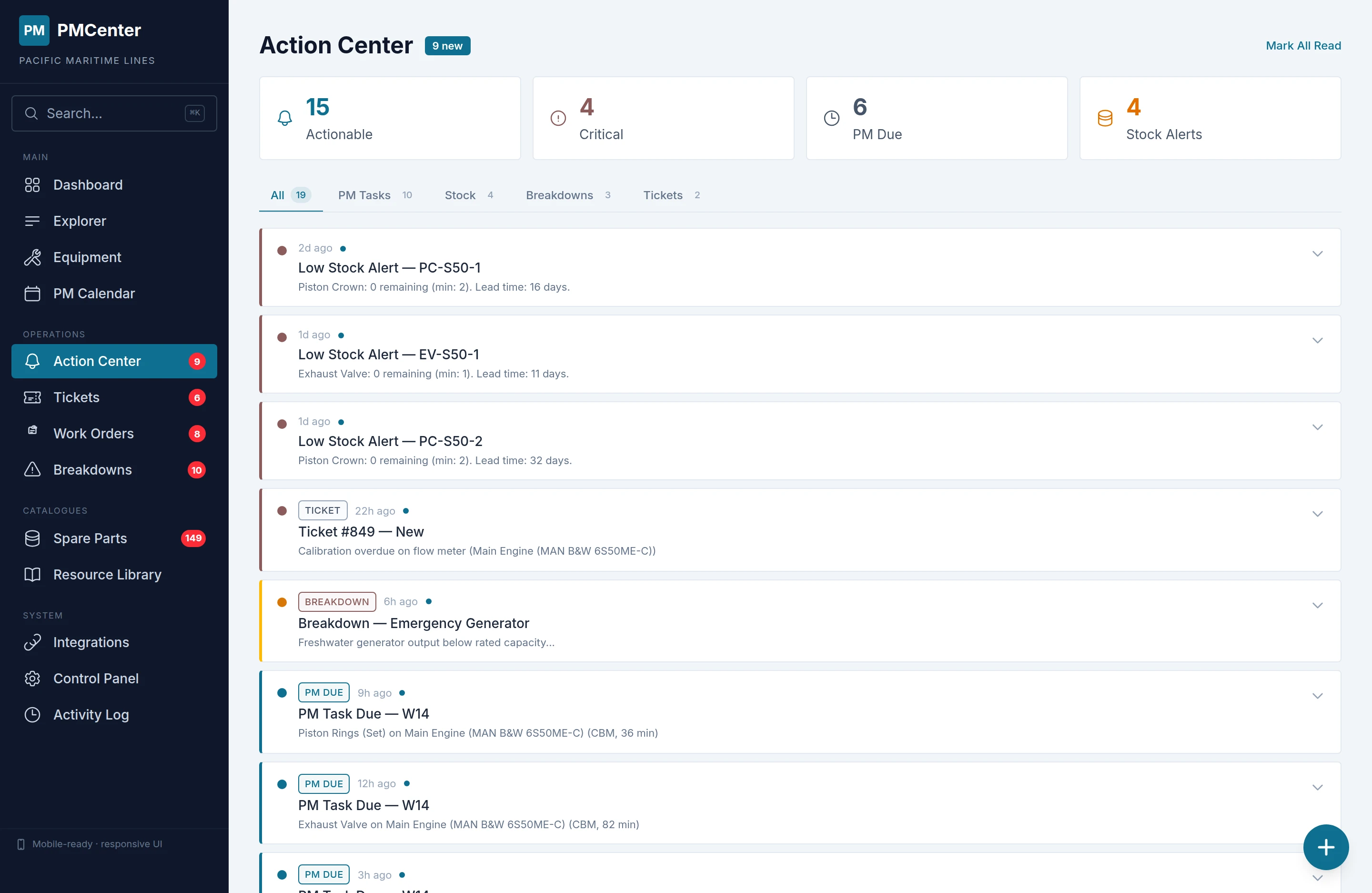
Action Center
Act on PM tasks, stock alerts, and breakdowns from one queue.
- Defer PM tasks with TBM or CBM options
- Assign technicians directly from the feed
- One-click reorder for low-stock spare parts
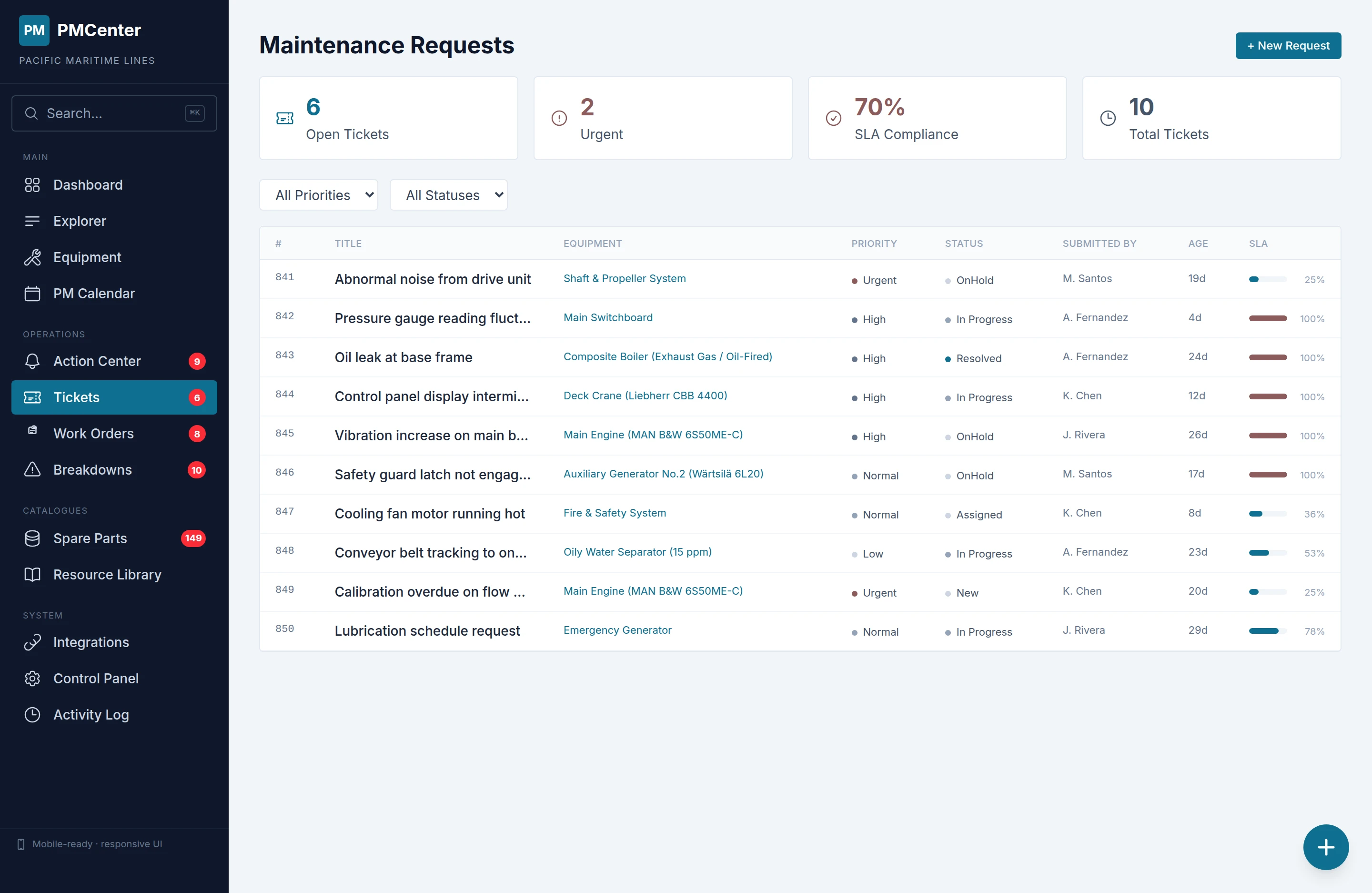
Maintenance Ticketing
Operators submit requests from any device with photos and priority.
- Status flow: Submitted to Acknowledged to Resolved
- Response time and SLA compliance analytics
- Automatic work order creation from accepted tickets
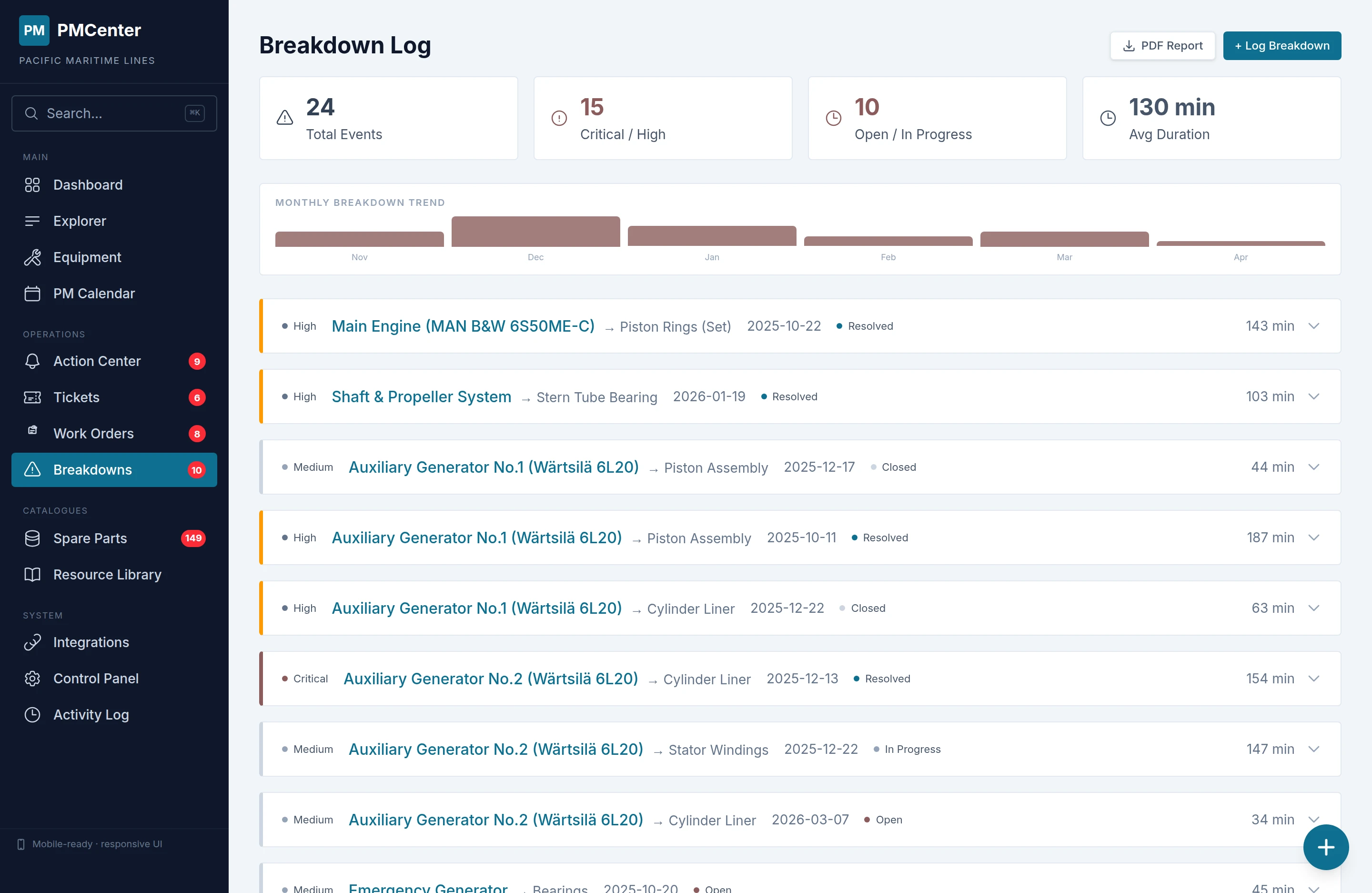
Breakdown Analysis
Turn incidents into improvement data with ISO 14224 failure coding.
- Failure mode, cause, mechanism, detection, and consequence classification
- Failure mode and cause distribution charts
- Severity tracking and pattern recognition across equipment
Parts catalogued, documents linked, nothing lost
Every spare part tracked with criticality, lead time, cost, and current stock. Technical documents, OEM drawings, and work instructions linked directly to the asset hierarchy — accessible from any device.
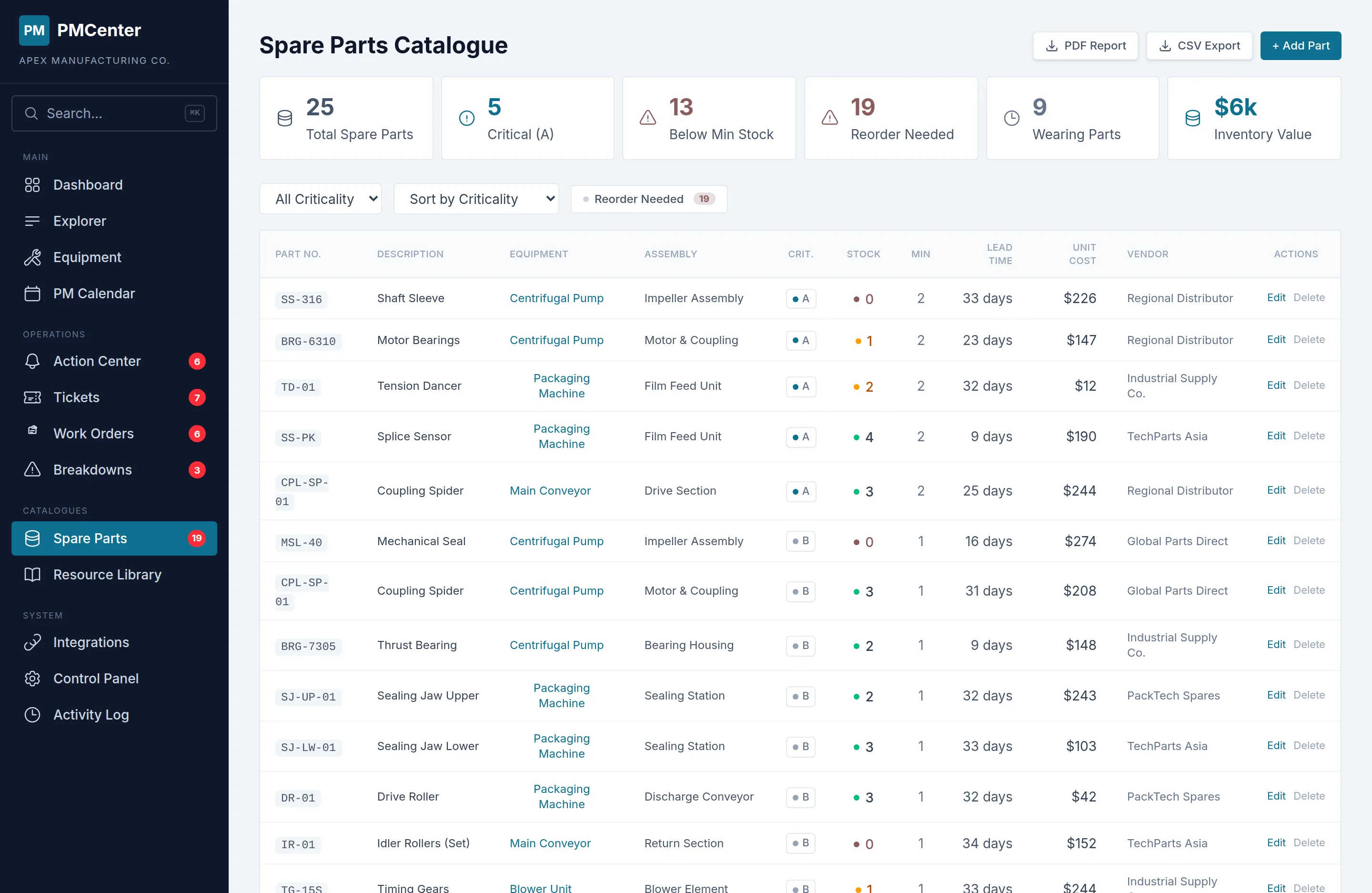
Spare Parts
Criticality, lead times, cost tracking, and stock monitoring.
- ABC classification and criticality rating
- Lead time and reorder point tracking
- Low-stock alerts with one-click reorder
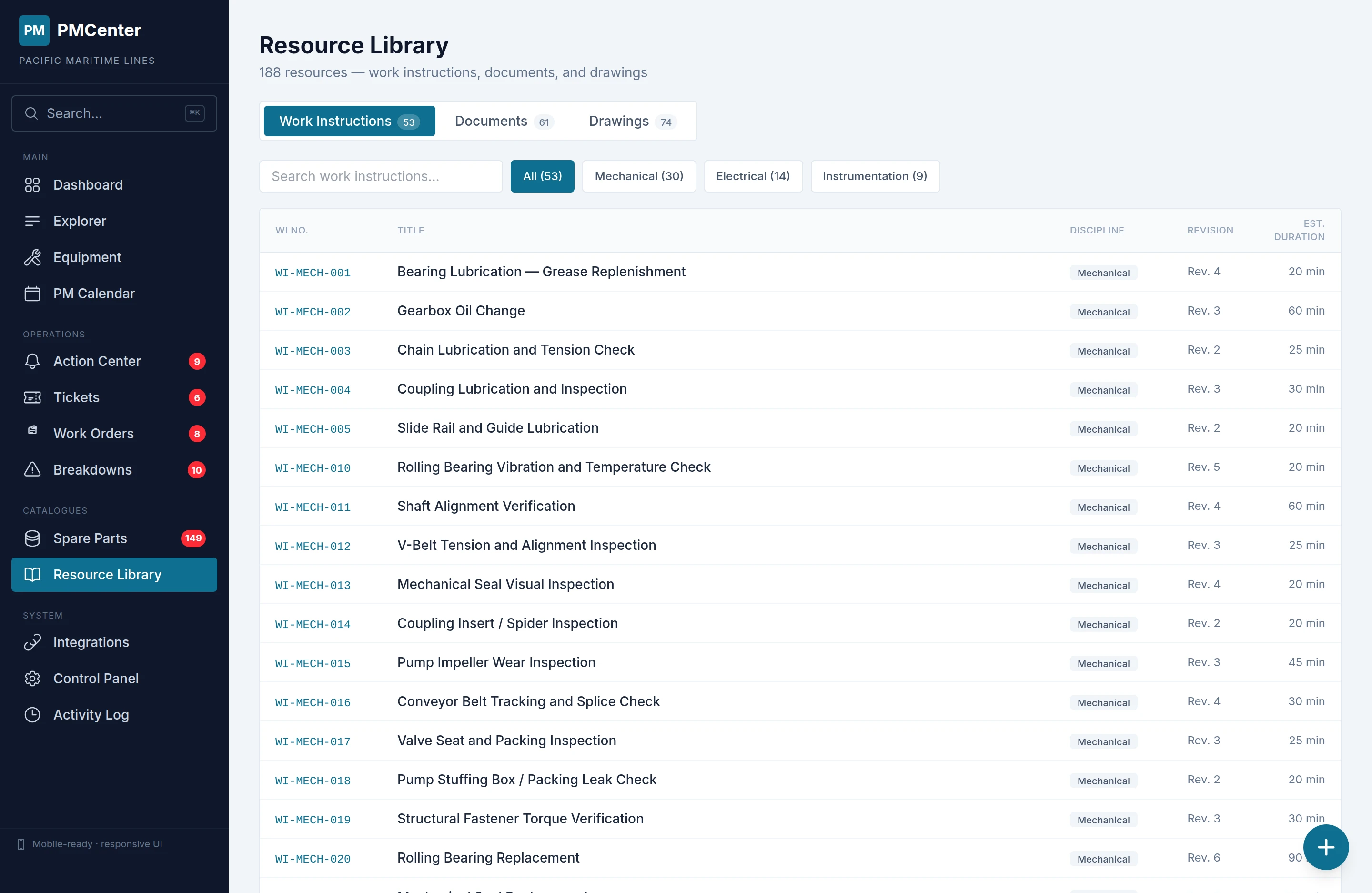
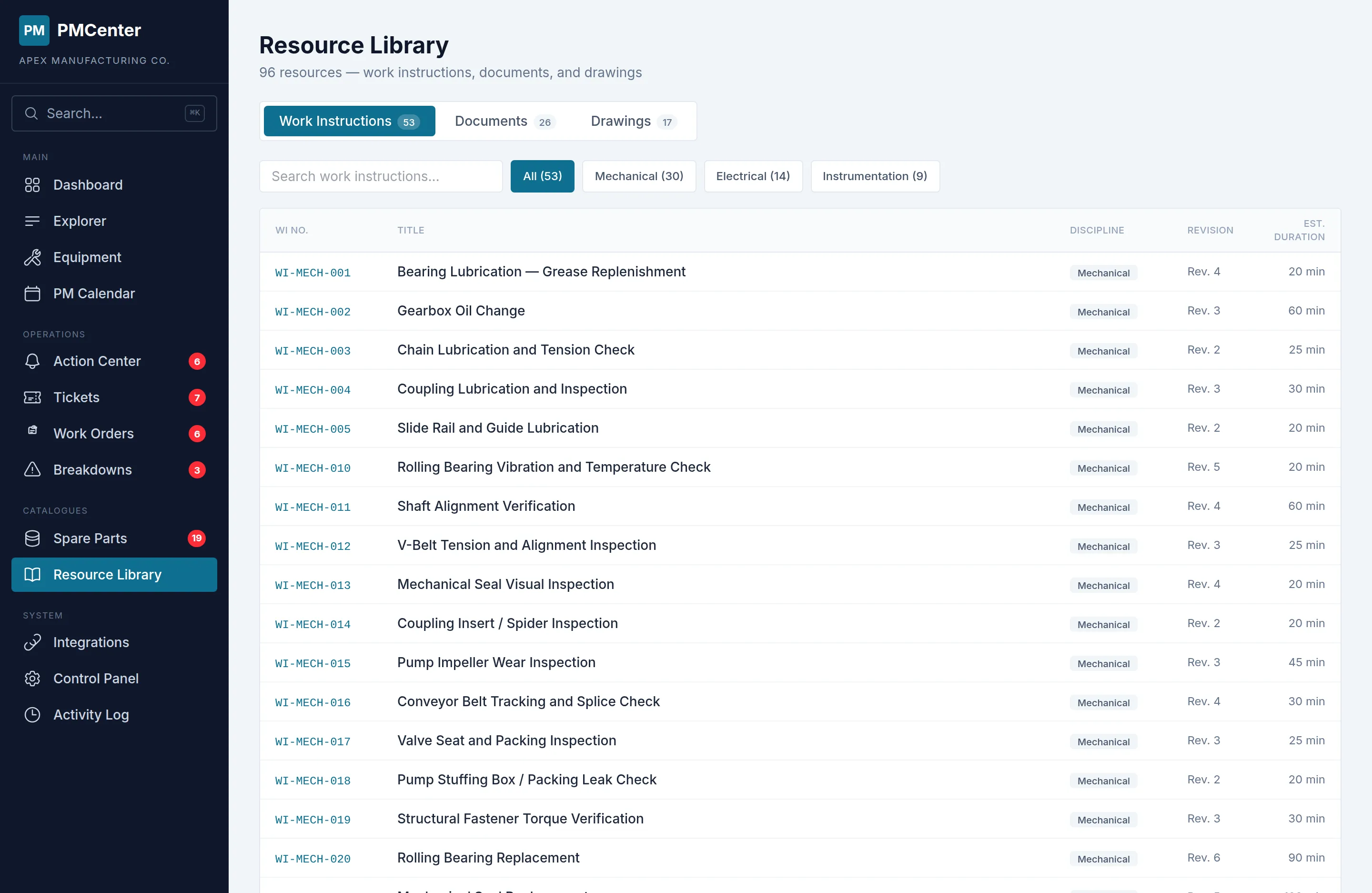
Resource Library
All site documentation in one searchable hub.
- Three tabs: Work Instructions / Documents / Drawings
- In-browser PDF preview with download
- Filter by type, asset, or keyword
Technical Documents & OEM Drawings
Manuals, datasheets, P&IDs, and system drawings linked per asset.
- Attach PDFs, photos, and drawings to any hierarchy level
- OEM system drawings with click-to-enlarge
- Quick preview and full-screen viewing
Works alongside SAP PM — or replaces it entirely
PMCenter interfaces with your existing enterprise systems through simple data exchange. No middleware or complex IT projects required.
SAP / ERP Interface
Exchange asset master data and spare parts with your ERP.
- Asset and spare parts data synchronization
- Flexible interfacing based on your IT environment
- Use alongside SAP PM or transition fully at your pace
PLC / SCADA Data
Automated running hours and condition monitoring from control systems.
- Vibration, temperature, pressure monitoring
- Threshold-based CBM trigger automation
- Historical trend visualization and alerting
OT Systems
PMCenter
Business Systems
Your Team
Technicians · Engineers · Management
Measure progress, prove results
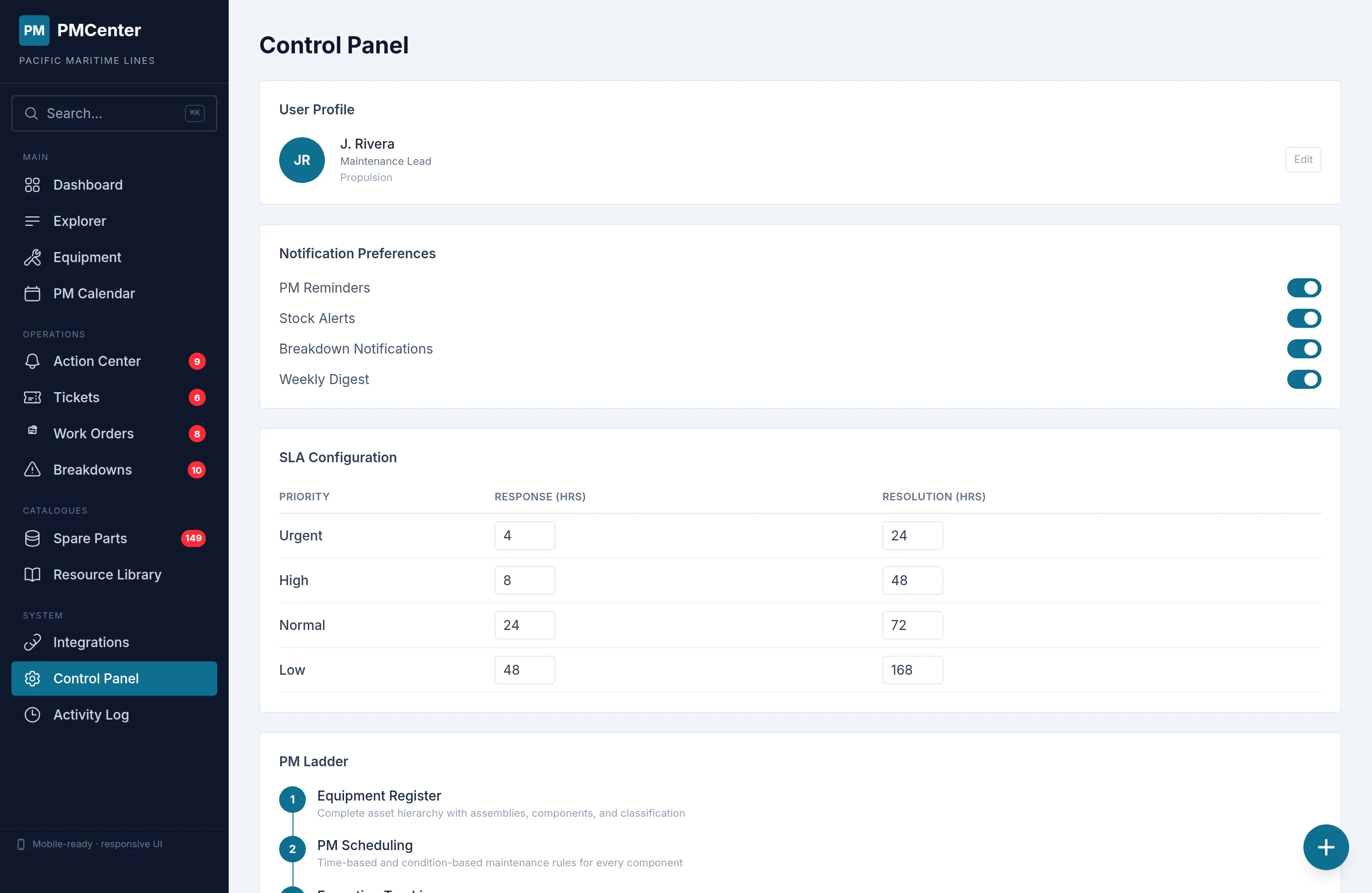
Real-time KPIs, compliance rates, and cost analytics on a single dashboard. Track your site's progression through the PM Ladder maturity model. Search anything instantly and review a full audit trail of every maintenance operation.
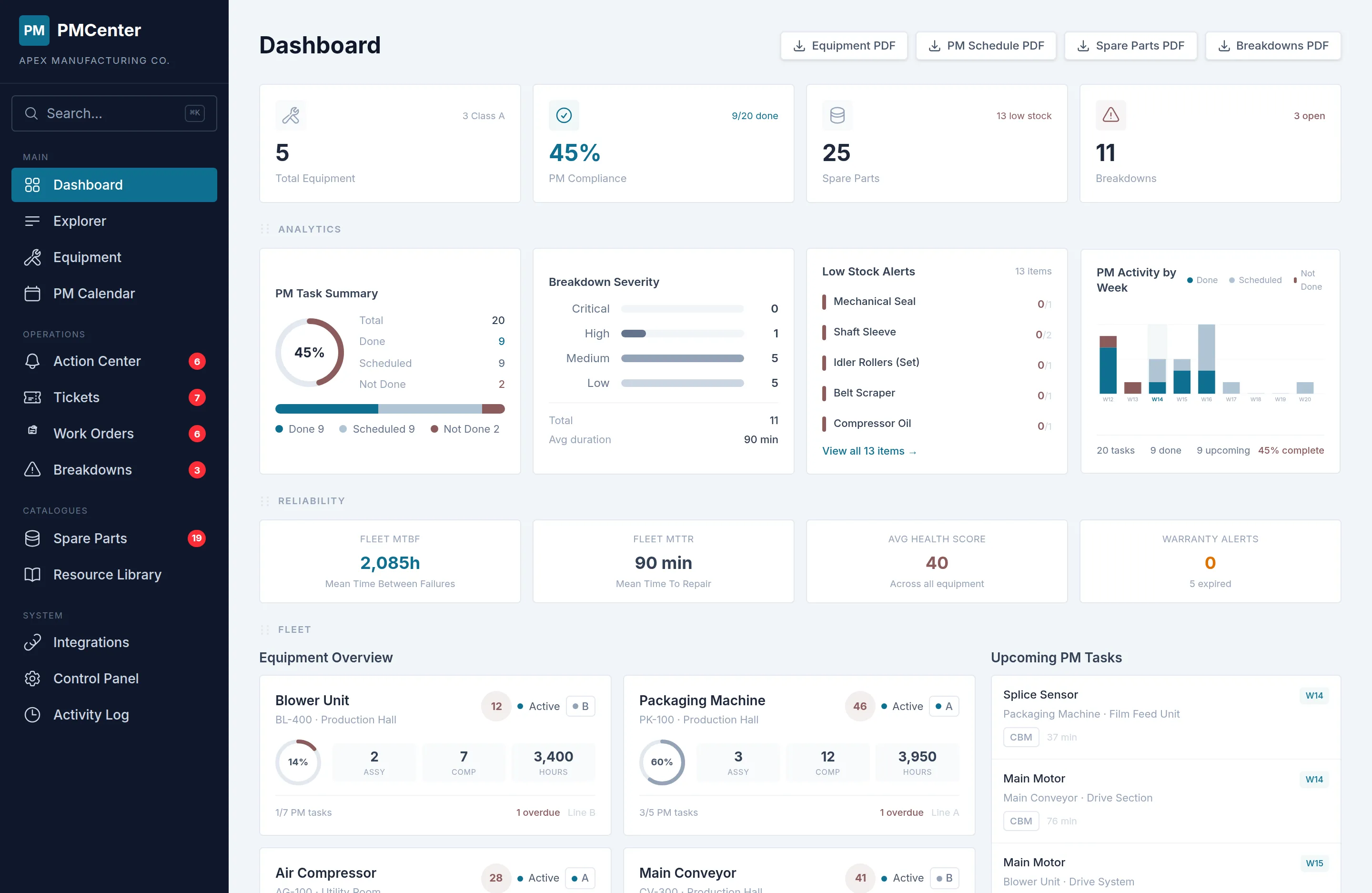
Dashboard Analytics
Real-time KPIs and compliance at a glance.
- PM compliance, overdue tasks, cost breakdown
- Asset status overview
- Trend charts and period comparison
PM Ladder
Step-by-step PM maturity progression.
- 5-step maturity model based on TPM
- Visual progress indicators
- Action items at each level
Global Search
Find anything across your site instantly.
- Assets, parts, tickets, notifications
- Results grouped by type
- Keyboard shortcut: Ctrl+K / Cmd+K
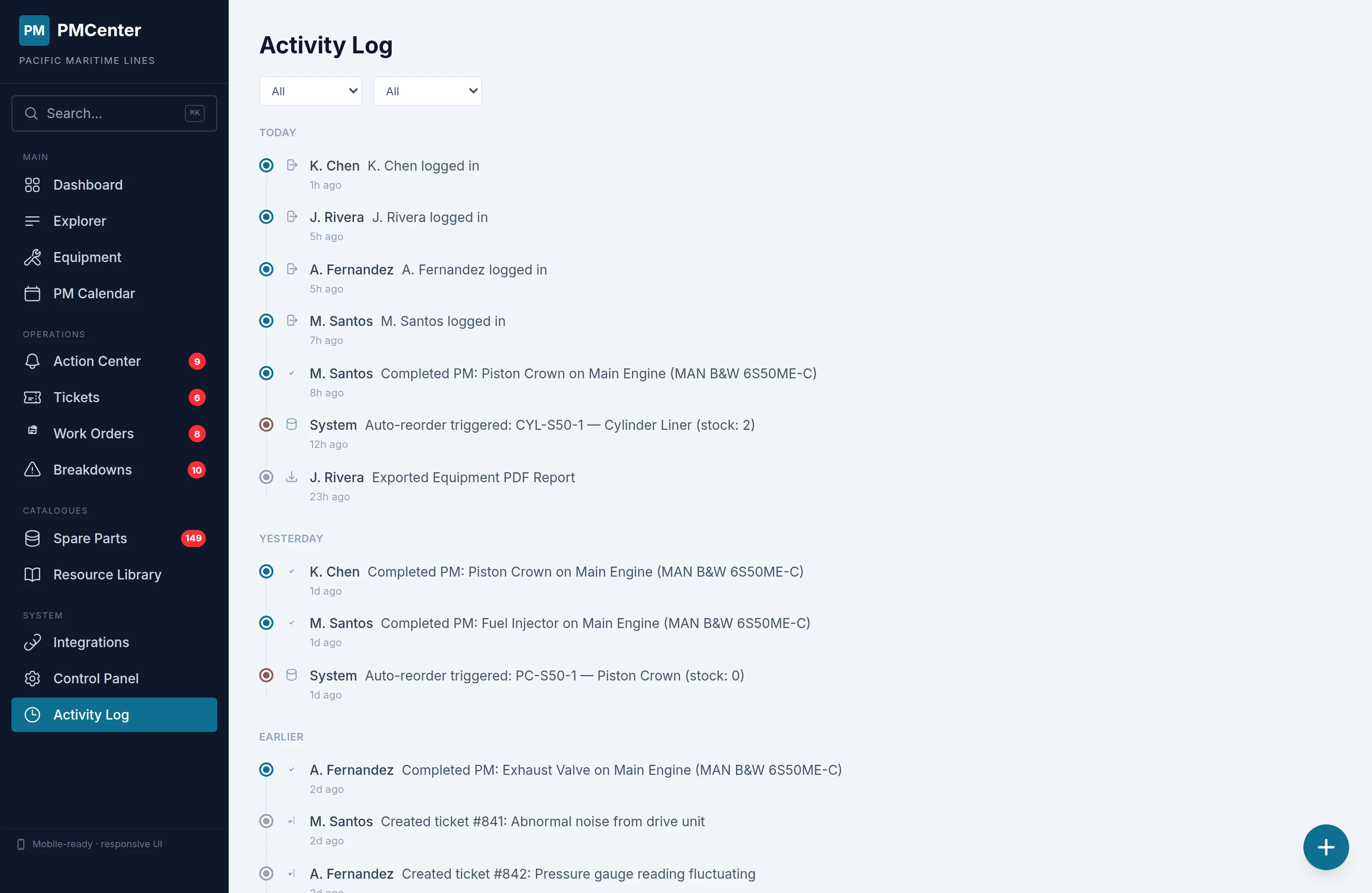
Activity Log
Full audit trail of every maintenance operation.
- Timeline grouped by day
- Filter by actor and activity type
- Color-coded for instant scanning

OT Systems
PMCenter
Business Systems
Your Team
Technicians · Engineers · Management
See every feature live in the demo
Every feature on this page is live in the interactive demo — no signup, no sales call. Select your industry and explore a complete site dataset in under a minute.